
Your 60-second video is 57 seconds.
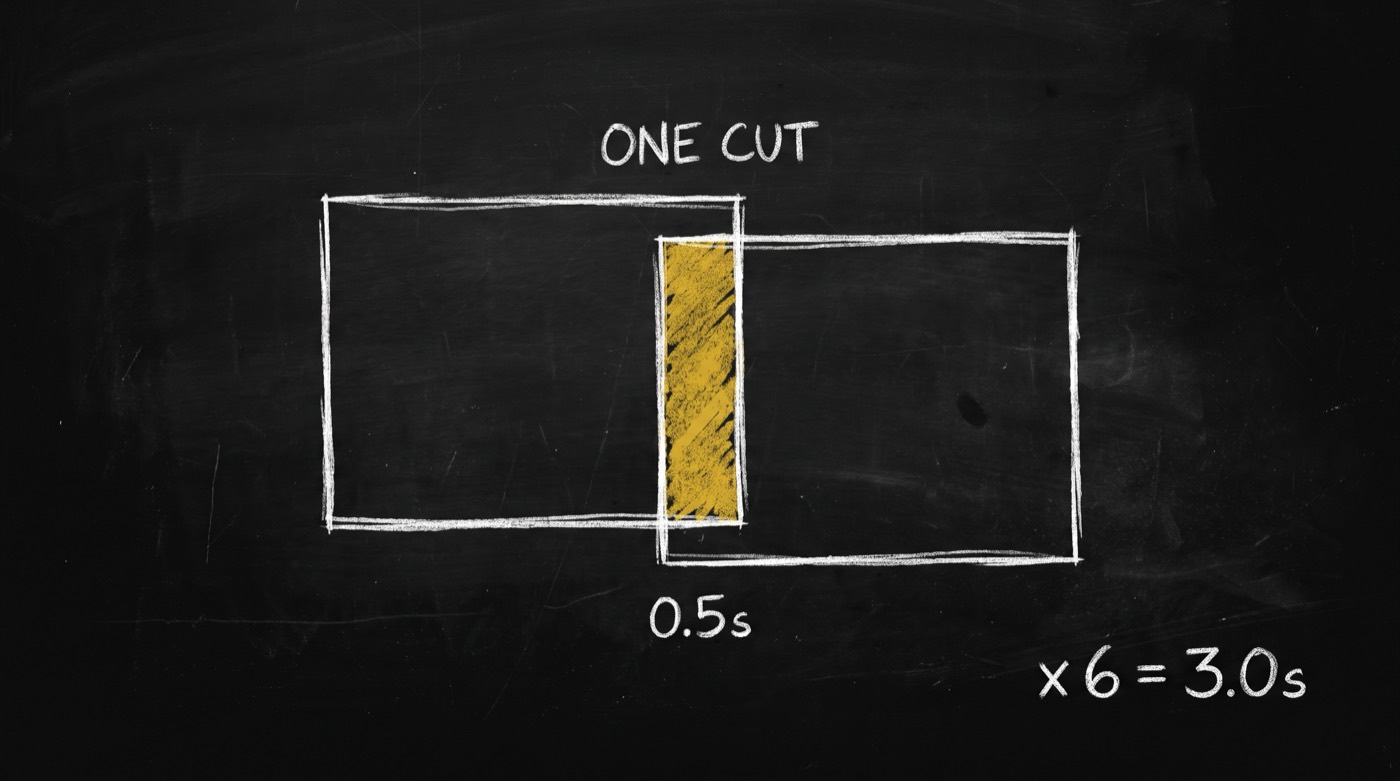
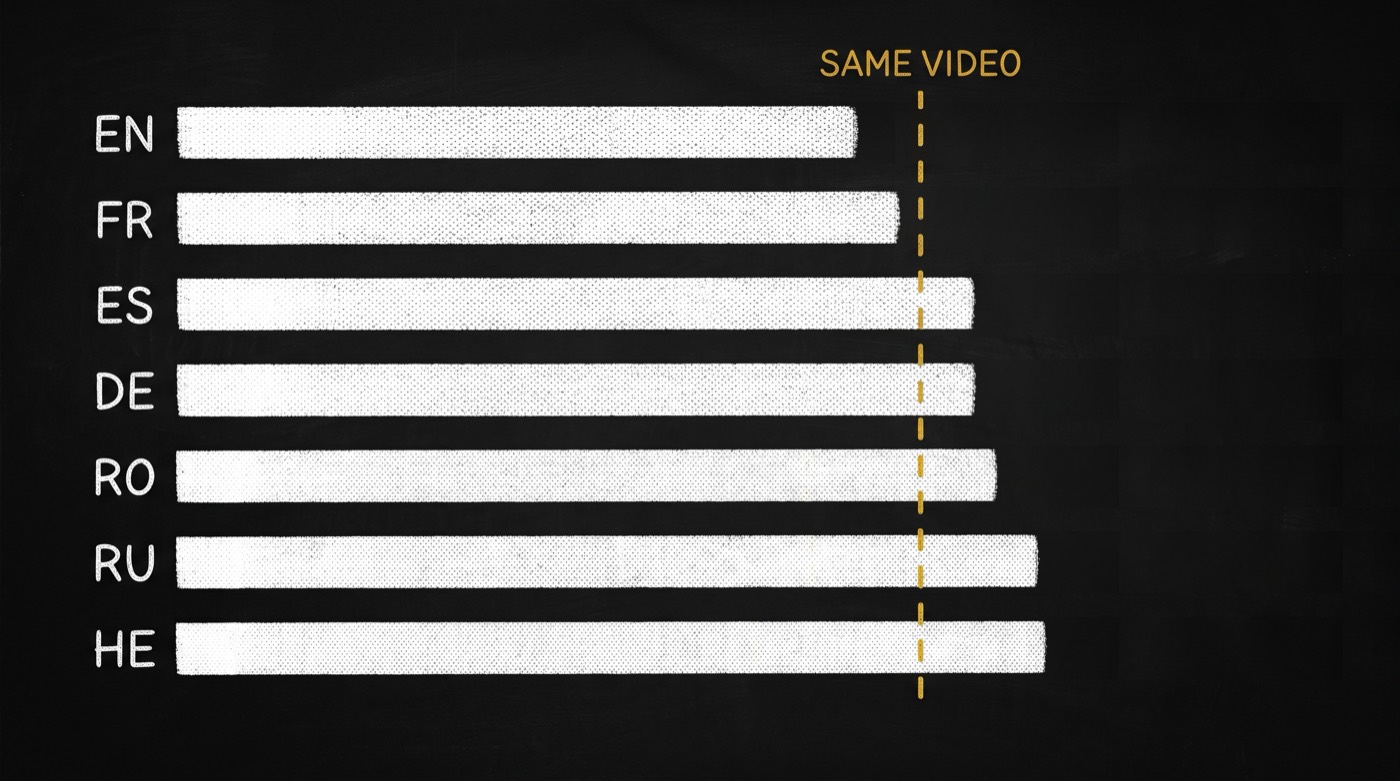
Transitions overlap the shots either side of them, so a plan whose clip lengths add up to sixty renders fifty-seven seconds of video and three seconds of black. Nothing errors. video-director turns a script into a shot list your renderer accepts unmodified: it solves for content rather than for the raw sum, quantizes generated clips to the lengths models actually produce, and names the engine on every row. It also times every voiceover line against the shot it plays over, in seven measured languages. And it can plan from a video you liked: hand it a template that video-analyst measured and it fills the same structure and pace, then hands back what the engines cannot shoot.
For anyone whose agent makes video, and who has watched a render succeed, come back the right file size, and still be wrong.

opvs-skills install @di-atomic/video-directorThen say: “turn this script into a shot list”, “why does my video end in black?”, “does this script fit 60 seconds?” or “make it like this template”.
Why the plan a person writes is the plan that fails
want 60s, so pick clips that add to 60
8 + 8 + 8 + 8 + 8 + 10 + 10 = 60
send it to the renderer

→ six cuts overlap; where did 3s go?
→ 10s is not a length veo3 makes
→ is a row a shot, or a whole post?
→ transition left at the default (a crossfade)
→ nothing errors, so nobody checks

(ship it, find out later)
Every one of those is silent. The render succeeds, the file is the right size, and the last three seconds are black.
mode     REQUIRED, no default, rejected if absent
engine   named on every row, never inferred
len      only a length the model actually makes
content  sum(len) − (n−1) × transition_seconds
target   solved for content, so 8×6 + 15 = 63
seam     axis, direction and speed per cut
default  a defaulted transition is counted
voice    every line timed against its own shot
gate     5 verifiers, before a clip is bought
A plan you can check before you pay for it, because the arithmetic that produced it is printed alongside it.
A render that succeeds is not a render that is right.
Every row names how its asset is made, and the type follows
aiA generated clip. Capped at 5 to 15 seconds, and only on a length the model natively produces.avatarA lipsync take. Driven by the length of the line it speaks.screenA real screen recording. Any length, and elastic, so it absorbs the remainder.motionA composition with props. Any length, and where a title card or logo hold costs no generation.typeWhat the renderer does with a finished asset. Derived from the engine, never chosen by hand.What you actually get
Arithmetic that accounts for overlap
Transitions overlap their neighbours, so content = sum(len) − (n−1) × transition_seconds. Seven clips totalling sixty seconds with six half-second cuts render fifty-seven. The planner solves for content, and the verifier prints the black tail you would have shipped.
Durations quantized to what models make
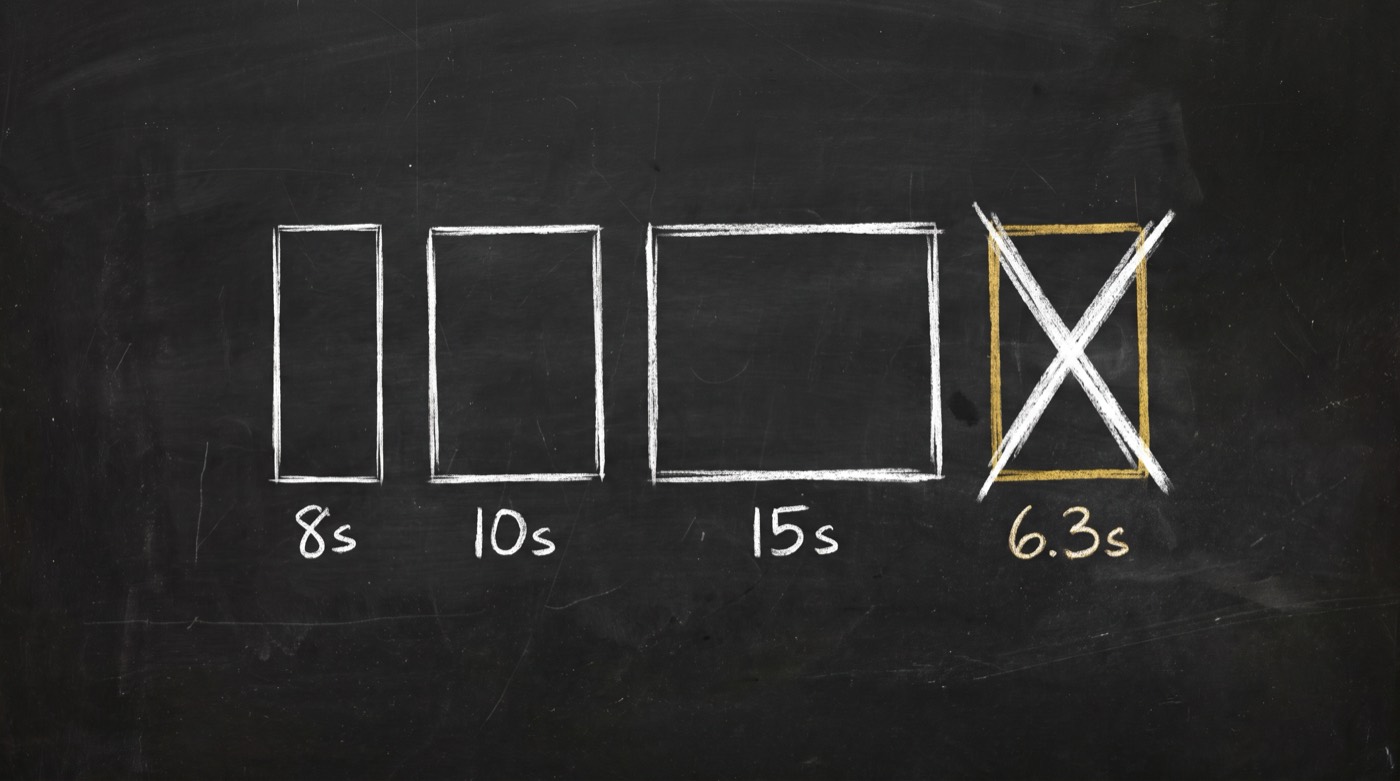
veo3 returns eight seconds. sora2 returns ten or fifteen. No model honours a request for 6.3. So in an all-generated package you close a gap by changing the shot count, not by stretching a clip. In a mixed one, the slack goes on a screen or motion row.
Cuts you can check before rendering
The schema defaults transition to fade, a crossfade carries nothing across the cut, and the craft rule forbids crossfades. So accepting the default is itself the defect. Seams are graded in the renderer’s own transition vocabulary, on the plan, with no animation library shipped.
One 60-second short, planned and gated
> "turn this script into a 60-second short"

  mode ........... single_video   (asked, never guessed)
  aspect ......... 9:16  fps 30

  FIRST ATTEMPT: the plan a person writes
  8 + 8 + 8 + 8 + 8 + 10 + 10 = 60

  verify-shot-list.mjs --target 60
    shot 6: len 10s is NOT native for veo3 (native: 8s)
    content 57.00s misses target 60s by 3.00s
    black tail a naive sum would ship: 3.00s
    solve for sum len = 60 + 3.00 = 63.00s
  RESULT ......... FAIL (2 violations)

  CORRECTED
  8 × 6 + 15 = 63
    n = 7,  overlap = 6 × 0.5 = 3.0
    content = 60.00s

  verify-shot-list.mjs ............ PASS
  verify-projectability.mjs ....... PASS  0 unmapped fields
  verify-seam-ledger.mjs .......... PASS  0 defaulted transitions
  verify-prompt-grammar.mjs ....... PASS

  → handed to media-generator: 7 rows, 0 edits
Checking a plan is free. Rendering it is not. So the whole list is graded before a single clip is generated. The gate also reports the black tail even on a PASS, as a reminder of what the raw sum would have cost.
Two constraints, and they are coupled
Every voiceover line, timed against its own shot new in v0.2.0
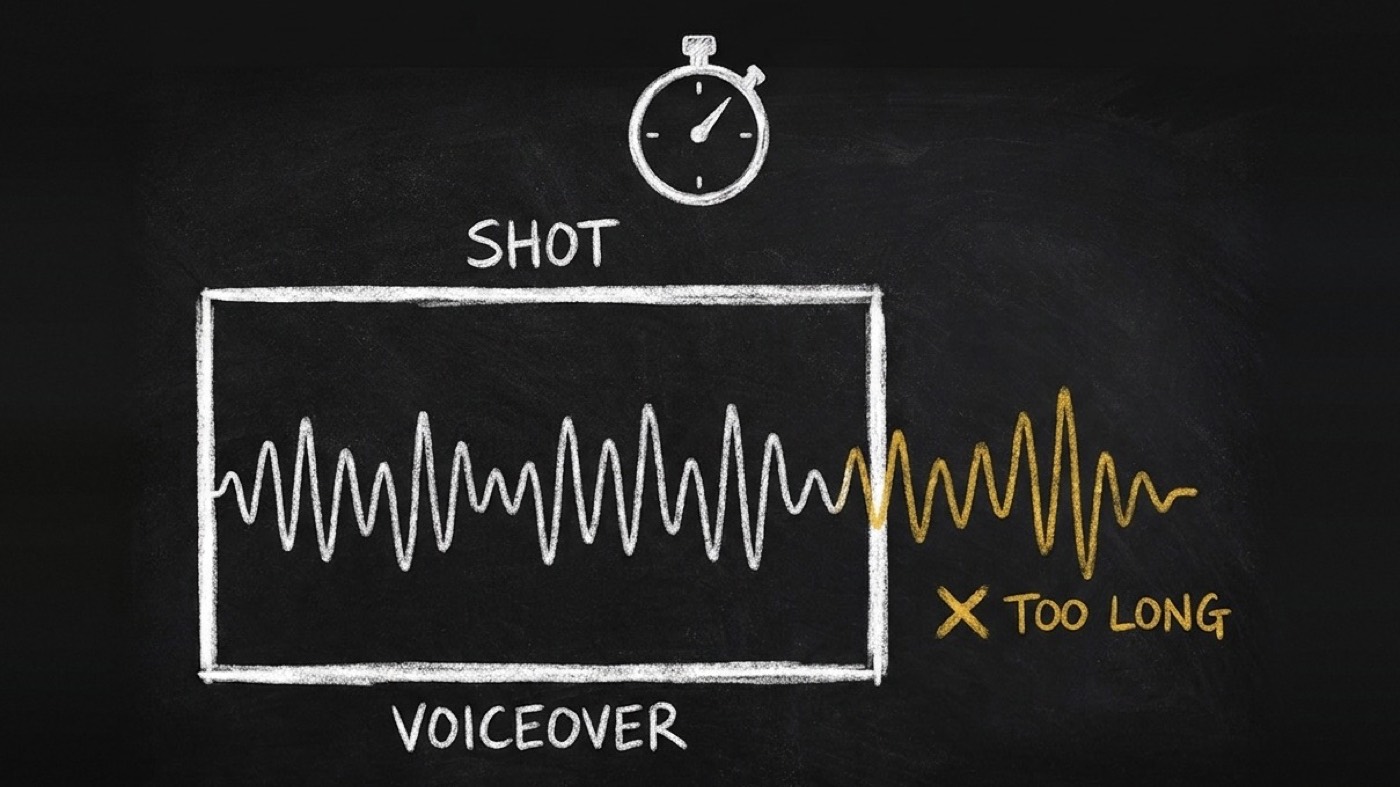
> "does this script fit 60 seconds?"

  verify-vo-fit.mjs demo-script.md
  lang en · rate 2.38 words/s (measured, conservative)

  beat                 window    est.    status
  0-5s Hook              4.9s    4.62s   PASS
  5-15s Setup            9.9s   11.76s   FAIL  +1.86s  max_words 23
  15-25s draftCopy       9.9s    7.14s   PASS
  25-40s editCopy       14.9s   13.87s   PASS
  40-50s scoreCopy       9.9s    6.72s   PASS
  50-58s compliance      7.9s   10.08s   FAIL  +2.18s  max_words 18
  58-60s Close          1.75s    5.46s   FAIL  +3.71s  max_words 4

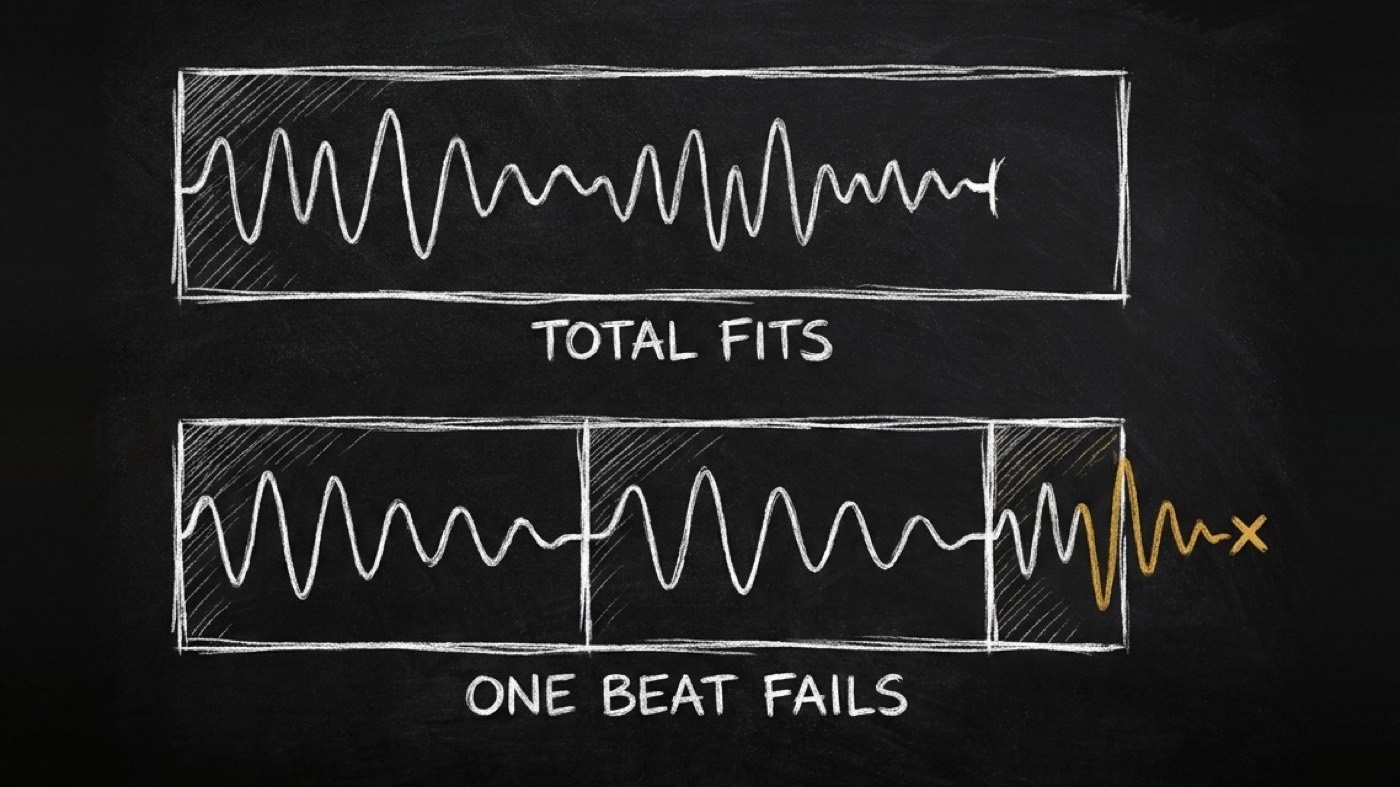
  measured total speech ... 55.1s of 60s   (the total fits)
  RESULT .................. FAIL (3 beats)

  → 3 beats back to copy-engine, each with its max_words
  → --tts with the real voice: 2 real overflows, the setup fits
The total fit with five seconds to spare. Three beats did not. Your agent hands only those beats back to the writer, with the word count that fits, before anyone records a word.
Hand your agent a video you liked, not a blank page new in v0.3.0
video-analyst measures a video: how long each section runs, how fast it cuts, which engine each part needs, what the first three seconds do. Your agent now fills that template into a shot list with no hand edits. On the one real template so far, the 4-minute Intro to Linear, one row per section broke 4 checks. Split by its own pace, it fills 24 rows with 0 structural violations. What is left is the place where a human presenter cuts faster than an avatar can shoot.
> "make it like this template"

  fill-template.mjs template__explainer__presenter-screen__v1
  (n=1, strength single: a hint) · target 240.641s · vo_wpm 168.7 (measured)

  section    engine   template pace   used pace   ratio     level
  hook       avatar       1.6s          5s        3.1250×   FAIL  avatar floor 5s
  promise    avatar       3.8s          5s        1.3158×   WARN
  context    avatar       3.678s        5.517s    1.5000×   WARN
  recap      avatar       3.094s        6.187s    1.9997×   WARN
  (8 screen and motion sections, all within 1.17×)

  HANDED BACK (2)
  ✗ hook 3.1250× (n=1, strength single: a hint)
      → --engine "hook=motion"   no floor, keeps 1.6s shots
      → --accept "hook=<reason>"
  ✗ first_shot_change_by_3s: now at 5s (measured)

  VERDICT: HAND_BACK (2 handed back, 4 warn) · 24 rows

  > fill-template.mjs … --engine "hook=motion"
  VERDICT: WARN (0 handed back, 4 warn) · 24 rows
  ⚠ face_by_3s now at 5.632s (judged)
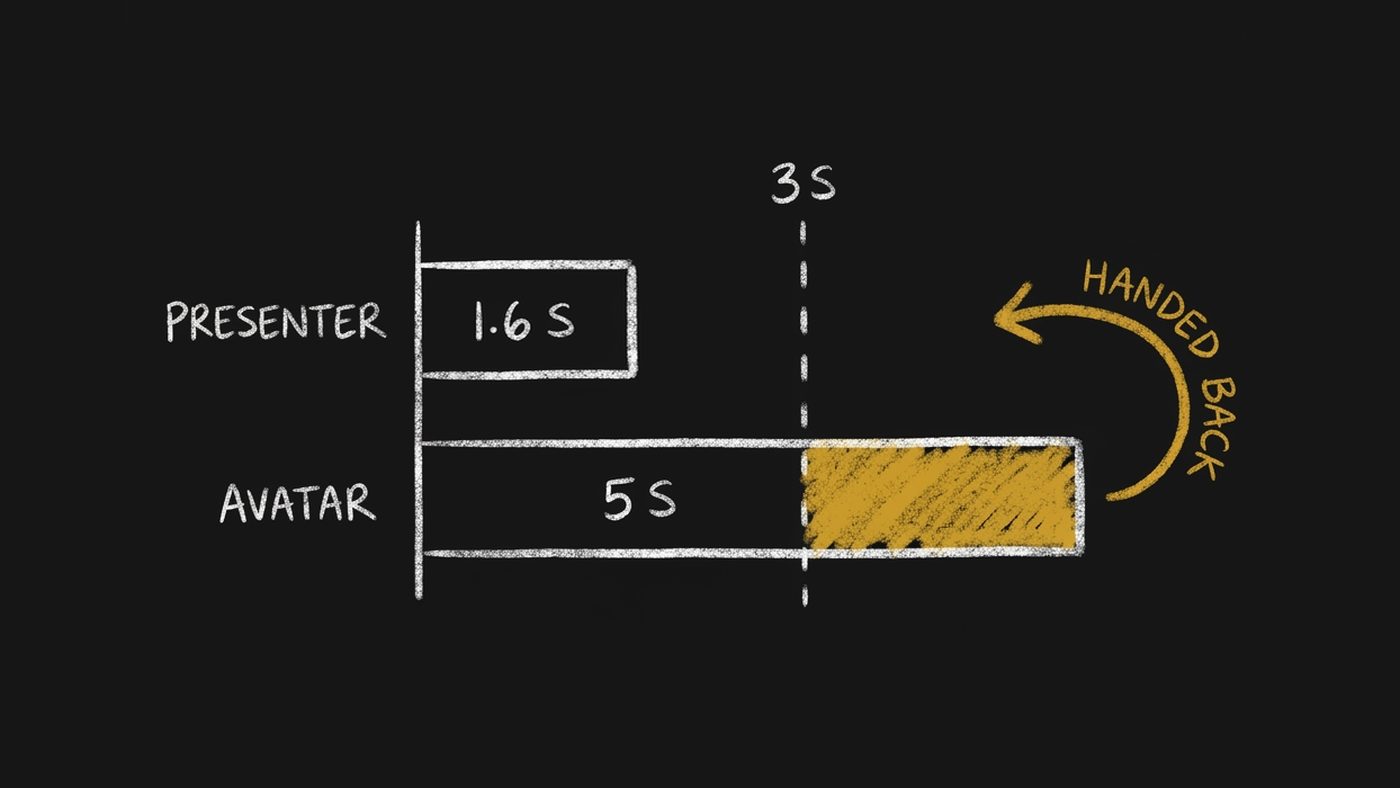
The hook is the problem. The original’s first shot lasts 1.6 seconds and an avatar clip cannot be shorter than 5, so it comes back 3.1 times slower and misses the template’s measured first cut by second 3. Move it to motion and the hand-back clears, but a face now first appears at 5.6 seconds. You choose. Every borrowed number prints its sample size: one video is a hint you may decline, 2 to 5 a default, 6 or more a norm you may not. The template’s speaking pace only warns you when a script is too sparse. It never decides whether a line fits. The printout is trimmed: columns cut, and the eight screen and motion sections summarised in one line.
What it will tell you it cannot do
- It renders nothing and writes no words. It decides, composes and checks the clock. The words come from copy-engine. Generation goes to media-generator, screen capture to a recorder, compositing to the renderer. This produces the one document all three read.
- No solver for all-generated lengths yet. A template fill scales its sections to your target, but picking clip lengths for an all-AI video is still a written procedure you run. A 45-second target has exactly one solution in that space, and a person will not find it by trial and error.
- Pacing is graded only against a template, and there is one so far. Give it a video-analyst template and rhythm, tutorials included, is checked at that template’s strength. The one that exists is a single video, Intro to Linear, so everything the fill borrows is a hint (n=1). AI sections and non-English templates are untested, because none exist yet.
- The speech rates come from one engine. One neural voice per language on edge-tts. Your real timings (
--tts) or your measured brand rate beat the table, and the skill says so on every run. - It over-flags short-word Russian. A Russian script of short everyday words speaks faster than the table, so the estimate flags lines that fit. The measured check clears them. In my test it still caught the one real overflow.
- It will not guess the mode. Nothing in a script says whether a row is a shot or a whole post. If you did not say, it asks rather than assumes.
I got tired of renders that succeeded and were still wrong.
video-director is one skill in the system behind Di-Atomic, the marketing and compliance agency that runs cognitoAI, SpiderIQ and OPVS. If you want video produced on a pipeline that checks its own arithmetic, in any of my team’s seven languages and including regulated categories, that is the day job.
Book a 30-min call with Di-AtomicJust want the skill? Get @di-atomic/video-director free.