
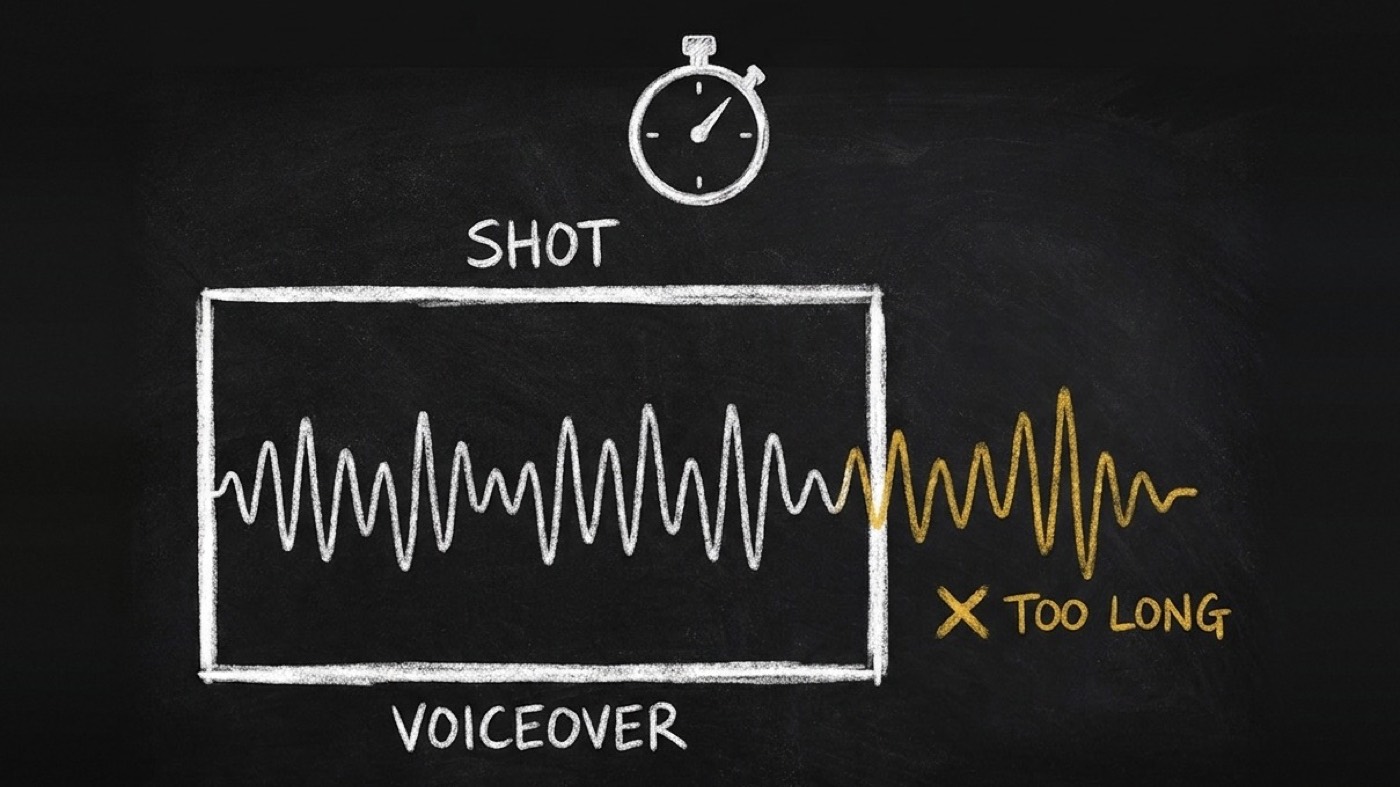
Your script fits 60 seconds. Two lines don't. Your agent checks.
One of my 60-second demo scripts fit its clock. It had 55 seconds of speech in a 60-second video, five seconds to spare. Two of its lines still ran past their shots, one by 3.7 seconds. Nothing flagged it. I found out when I timed the audio.
@di-atomic/video-director 0.2.0 catches that before you record anything. Your agent now times every voiceover line against the shot it plays over. A line that does not fit goes back to your writer with the number of words that do. It works in seven languages, from speech rates I measured.
The total is the wrong number
Every voiceover check I had looked at the whole video. You add up the words, divide by a speaking rate, and compare with 60. That check passed my script. It will pass yours.
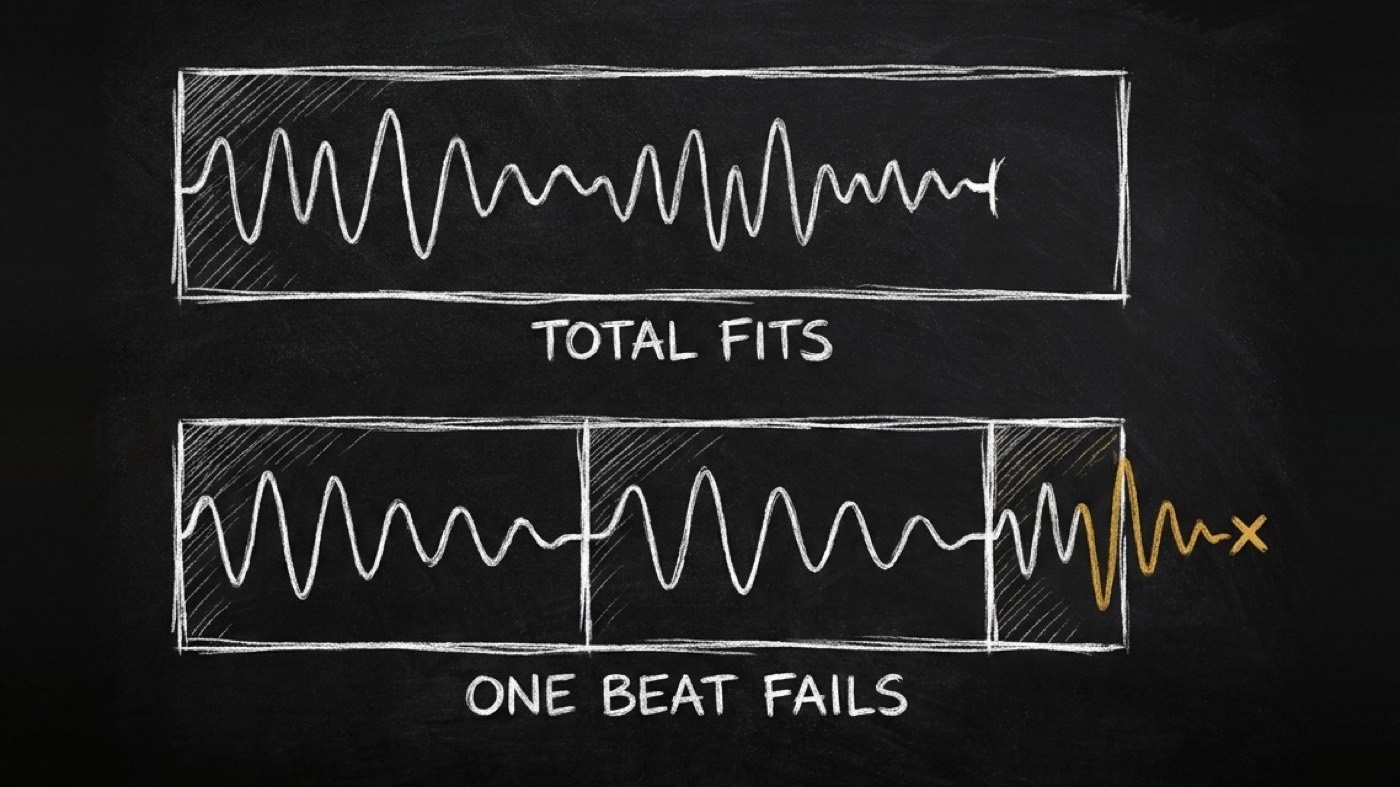
But your viewer does not hear a line over the whole video. They hear it over one shot. The close of that script had 1.75 seconds of room and a line of 13 spoken words. The line before it had 7.9 seconds and needed 11.7. The total hid both, because the long middle beats had slack to spare.
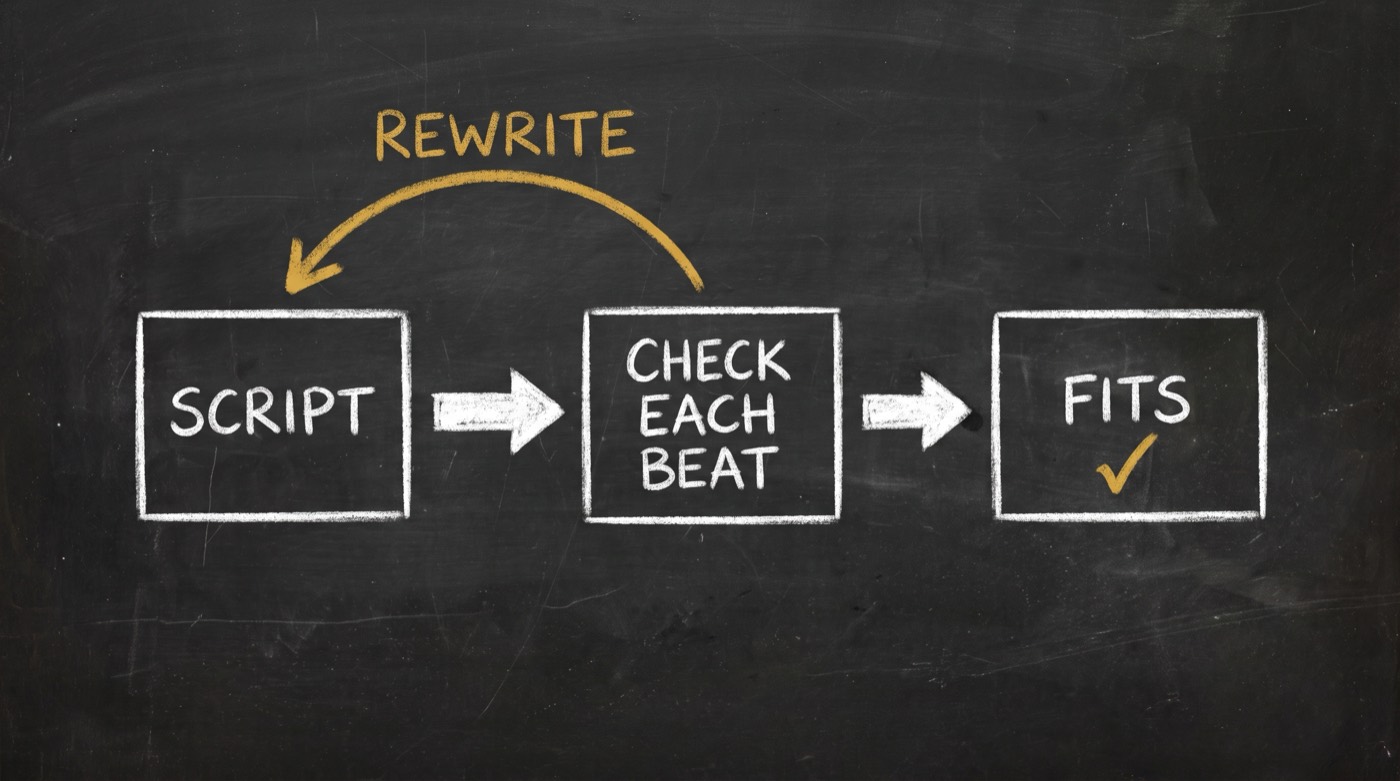
So your agent now checks each beat against its own window:
window = shot length - outgoing transition overlap - 0.1 s
         (last beat: 0.25 s, the same tail the video editor uses)
spoken = spoken words / measured rate + declared pauses
Here is that script, estimated before you have any audio:
beat                  len  window  words  est.    status
0-5s Hook               5    4.9     11    4.62   PASS
5-15s Setup            10    9.9     28   11.76   FAIL +1.86s  max_words 23
15-25s draftCopy       10    9.9     17    7.14   PASS
25-40s editCopy        15   14.9     33   13.87   PASS
40-50s scoreCopy       10    9.9     16    6.72   PASS
50-58s compliance       8    7.9     24   10.08   FAIL +2.18s  max_words 18
58-60s Close            2    1.75    13    5.46   FAIL +3.71s  max_words 4
Three beats flagged. With the real voice, two of them overflow and the setup beat fits. The estimate errs long on purpose, so you miss nothing.
What your agent does with your script now
It reads your script the way your writer hands it over: a beat table from copy-engine, its JSON, or a Director shot list. Then it runs one check per beat:
node scripts/verify-vo-fit.mjs script.md                    # estimate, no audio yet
node scripts/verify-vo-fit.mjs script.md --rate 2.61        # your brand's measured rate
node scripts/verify-vo-fit.mjs script.md --tts timings.json # verdict from real speech
Every FAIL beat comes back to you with over_s and max_words. Your agent sends only those beats back to copy-engine to rewrite, in your language, to that word count. The Director never rewrites your line itself. It checks time. Your writer owns the words.
Once you have the voice, --tts swaps the estimate for your measured timings. On my six demo scripts the estimate caught all 11 overflowing beats of 35. With real audio it flagged exactly those 11, and nothing else.
It also checks your opening. If your short-form video starts talking after 2.0 seconds, it fails. One of my demos started talking at 5.1 seconds, and nothing had checked when the talking starts.
Your Russian version is a different script
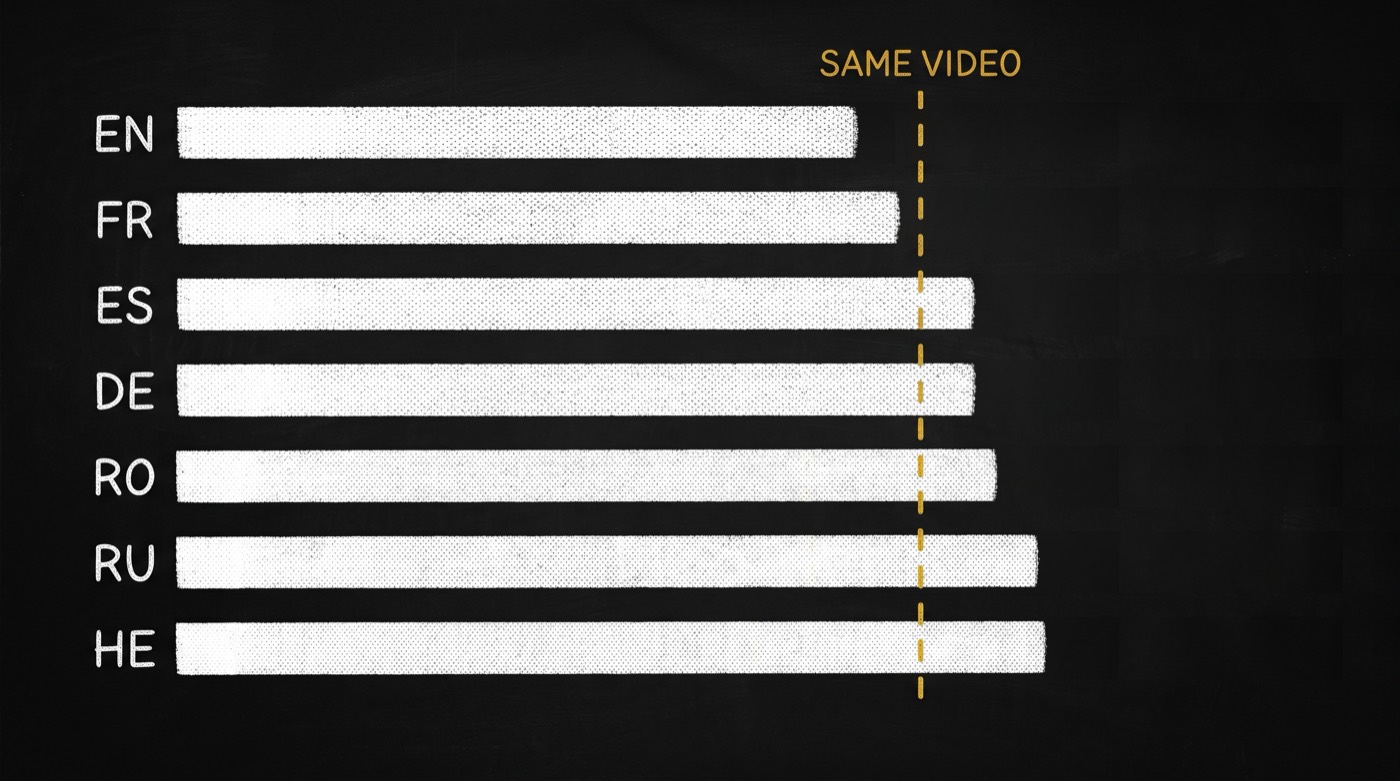
Your lines do not take the same time in every language. I measured seven languages, one neural voice each, and timed the same 20 demo lines in all of them:
lang   rate (FAIL)  typical   time vs English
en        2.38        2.74        -
fr        2.69        3.00       +6 %
es        2.53        2.78      +17 %
de        2.07        2.35      +17 %
ro        2.28        2.45      +20 %
ru        1.80        2.12      +26 %
he        1.76        2.01      +27 %
Rates are spoken words per second. Hyphens split, acronyms are spelled out, a URL speaks its dots. At +17 %, if your English script has 55 seconds of speech, your German one needs about 64. Your five seconds of headroom are gone before you record a word.
Two smaller things came out of the same measurements. An ellipsis is not a pause: on this engine ... adds 0.20 seconds. So you write pauses as [pause 0.5s], and they get counted. And your speech engine may not be mine. The table is your pre-flight. Your real timings are the verdict.
Hand your agent a video you liked, not a blank page
New in 0.3.0: your agent can plan from a video that already works. @di-atomic/video-analyst watches a video and measures it. How long each section runs, how fast the shots cut, which engine each part needs, what happens in the first three seconds. The Director now turns that template into your shot list, with no hand edits.
The obvious way to do it fails. I took the one real template I have, the 4-minute "Intro to Linear" video, and gave each section one row. That broke 4 checks. Three presenter rows came out at 1.6, 3.8 and 33.1 seconds, and an avatar clip has to be 5 to 15. One screen row ran 82.6 seconds, over the 60-second cap.
So your agent splits each section by the template's own pace. Same video, 24 rows, 0 structural violations. What is left is the part you need to know: a human presenter cuts faster than an avatar can shoot. Here is the real output, trimmed to the rows that matter:
section         engine   template s  used s   rows  pace s  used pace  ratio      level
hook            avatar          1.6       5     1     1.6          5  3.1250×    FAIL · avatar floor 5s: stretched from 1.6s
promise         avatar          3.8       5     1     3.8          5  1.3158×    WARN · avatar floor 5s: stretched from 3.8s
context         avatar         33.1  33.102     6   3.678      5.517  1.5000×    WARN · avatar floor 5s caps 6 row(s) (pace wants 9)
recap           avatar        6.187   6.187     1   3.094      6.187  1.9997×    WARN · avatar floor 5s caps 1 row(s) (pace wants 2)

HANDED BACK (2) — decide each, then re-run with the exit you chose:
✗ hook: pace 5s vs template 1.6s ← director_hints.section_shot_len_s.hook (measured) · 3.1250× (n=1, strength single: a hint)
    → --engine "hook=motion" (or screen): no floor, keeps 1.6s shots
    → --accept "hook=<reason>" (single: a hint can be declined, with a reason)
✗ opening rule first_shot_change_by_3s ≤ 3s (1/1): now at 5s (measured) (n=1, strength single: a hint)
    → shorten or re-engine the row that crosses 3s (the first section's --engine is usually the fix)
    → --accept "first_shot_change_by_3s=<reason>"
The hook is the problem. In the original, the first shot lasts 1.6 seconds. An avatar clip cannot be shorter than 5. That is 3.1 times slower, and it breaks the template's measured rule that the first cut lands by second 3. The Director does not smooth that over. It hands it back with two ways out: move the hook to a motion graphic, which has no floor, or keep the avatar and write down why.
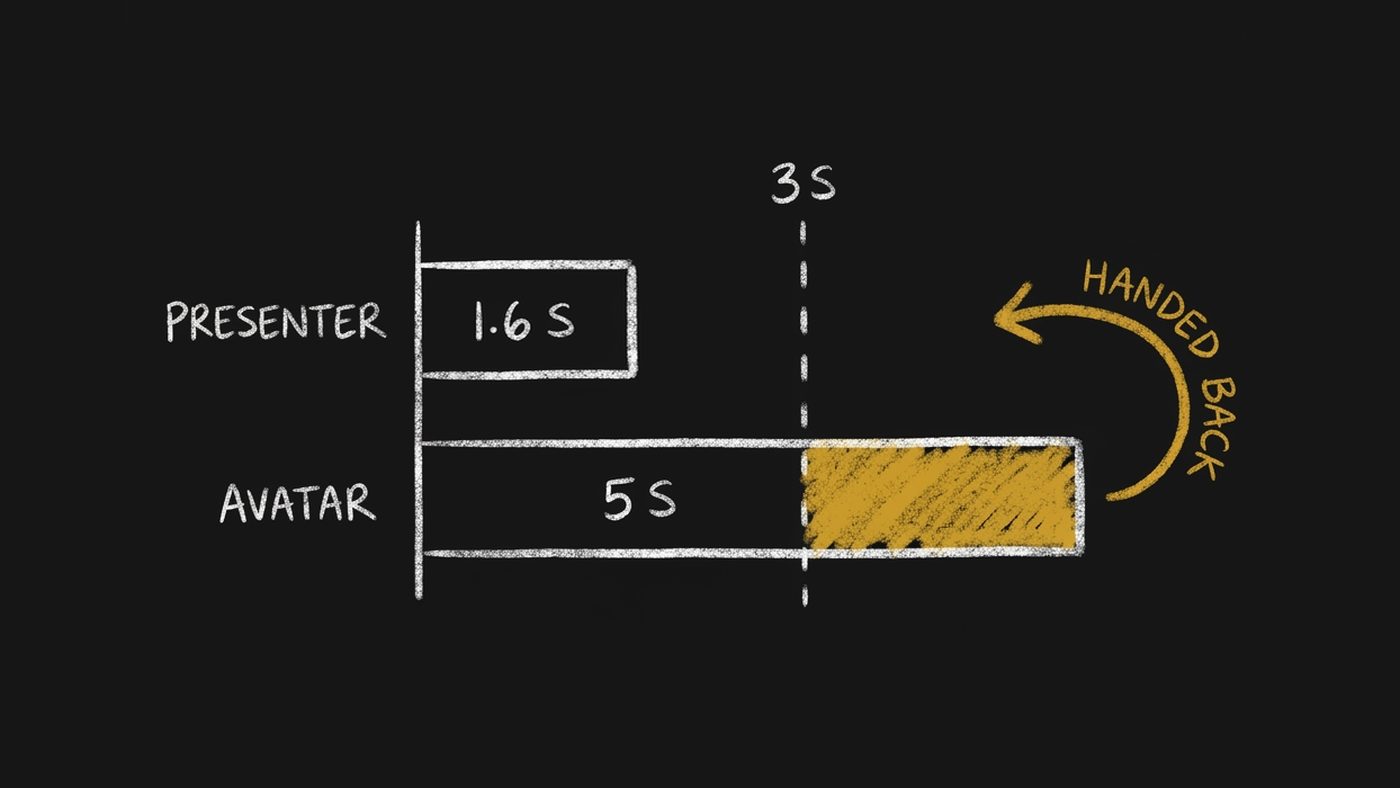
I took the first way out. The verdict drops to WARN with nothing handed back. The cost shows up too: with no presenter in the hook, a face first appears at 5.6 seconds instead of by second 3. You decide which rule matters more for your video.
Every number from the template carries its sample size. This one comes from a single video, so every line says n=1, strength single: a hint. You can decline a hint with a written reason. A template built from 2 to 5 videos is a default. Built from 6 or more, it is a norm, and the Director will not let you wave it off.
It reads the template's speaking pace too, but only to warn you when your script is so sparse the video will sound empty. A human narrator's pace never decides whether your line fits. That stays with the measured voice rates above.
node scripts/fill-template.mjs template.json --target 90
node scripts/fill-template.mjs template.json --target 90 --engine "hook=motion"
One plain limit: I have validated this on one template. Treat what it says about pacing as a hint until there are more.
The arithmetic it already did
This is still the skill that turns your script into a shot list your renderer accepts without edits. That part has not changed.
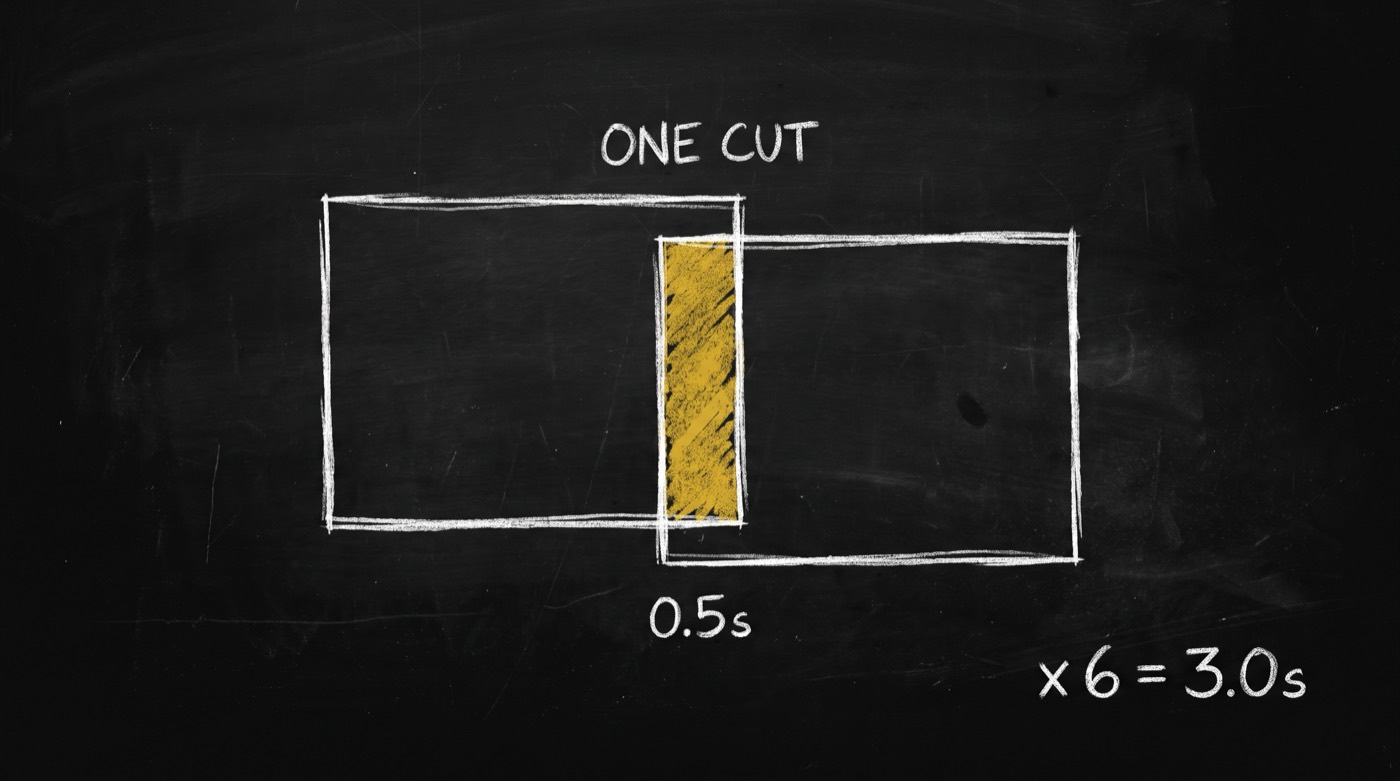
Transitions overlap the shots on either side. If you plan 8+8+8+8+8+10+10 = 60, you get 57 seconds of video and three seconds of black, with no error. The Director solves for content, not for the raw sum:
content  = sum(len) - (n - 1) x transition_seconds
need sum = 60 + 6 x 0.5 = 63     ->   8 x 6 + 15 = 63   PASS
You cannot order a generated clip in any length you like, so it quantizes your clips to what each model makes. It names the engine on every row: ai, avatar, screen or motion. It sets every cut on purpose instead of accepting the default fade.
Five verifiers, before you spend anything
node scripts/verify-shot-list.mjs      shot-list.json --target 60
node scripts/verify-projectability.mjs shot-list.json
node scripts/verify-seam-ledger.mjs    shot-list.json
node scripts/verify-prompt-grammar.mjs shot-list.json
node scripts/verify-vo-fit.mjs         shot-list.json
Each prints PASS or FAIL with numbers. Checking your plan costs you nothing. Your render costs money.
Why I trust the new gate
The old four gates passed a list of mine that was mostly silence. It had 11.8 seconds of speech in a 45-second video, and captions spread at 0.91 words per second when real speech runs 2.4 to 4.4. Nothing in version 0.1 measured time, so nothing noticed.
That list is now a test case. It fails. The re-timed version passes all five gates. I also ran 24 English lines the rate was never fitted on: the estimate was at or above the measured time on all 24. And the new gate agrees with the video editor's own speech detector within 0.055 seconds, in English, German, Russian and Hebrew. The two checks cannot disagree on the same voiceover.
What it does not do
It writes none of your words. That is copy-engine's job. It does not synthesise speech, align captions after the audio exists, or render anything.
Three limits, stated plainly. The rate table comes from one engine and one voice per language, so your real timings beat it. The estimate over-flags Russian scripts made of short, everyday words. It caught the one real overflow in my test, and flagged three lines that fit. And the template fill scales a template's sections to your target length, but it does not yet pick clip lengths for an all-AI video, and AI sections are untested. That solver is its own piece of work.
Install it
opvs-skills install @di-atomic/video-directorIt is guidance-only, so there is no backend to configure and nothing to authenticate. Your agent reads it and does the work.
Hand it your script. Ask for 60 seconds. It tells you which of your lines will not fit.