
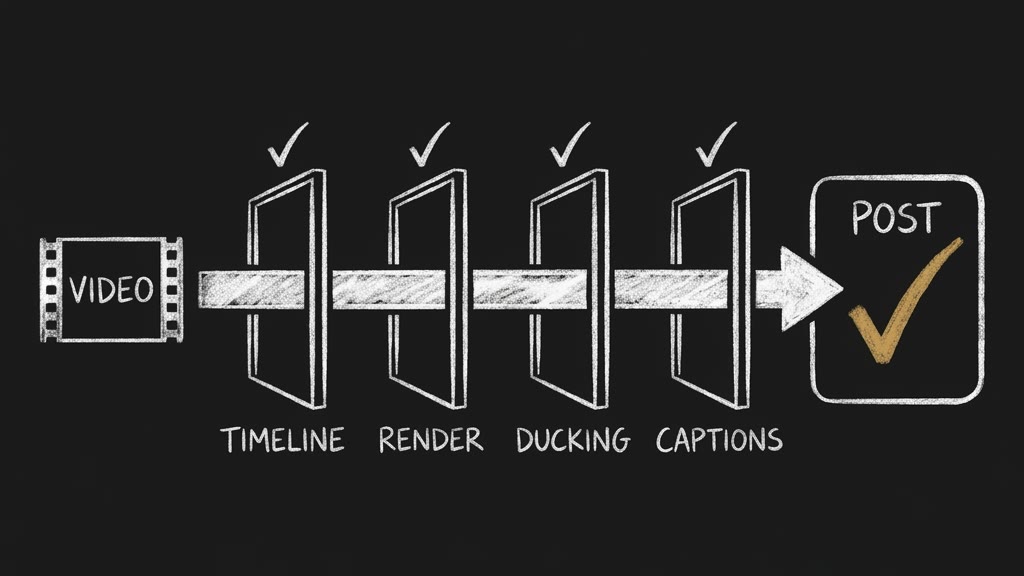
Exit 0 is not a finished video. Your agent now checks it.
I rendered a video with no ducking at all. Then I ran the check everyone reaches for first, and it told me the voice sat almost 10 dB above the music. Here is why that check lies, and what I shipped so your agent hands you a video with proof attached.
Today @di-atomic/video-editor goes live on the OPVS marketplace. Give your agent a shot list plus the finished clips, the voiceover and the music. It hands back one video file: cut to the plan, the music ducked under the voice, captions burned in where the platform buttons will not cover them, loudness set for where it will play. Then four gates read that file and print PASS or FAIL, with the numbers.
A render that finishes is not a render that worked
ffmpeg returns exit code 0 when it writes a file. It does not check that the file is the video you planned.
I built a 13-second test video: three clips, two slides and a fade, a voiceover, a music bed, 31 caption words. Then I made the three planning mistakes people actually make. Every one rendered. Every one exited 0.
naive transition offsets     9.5 s for a 13 s plan
clip shorter than its slot   11 s for a 13 s plan
voiceover past the picture   11 s file, speech runs to 12.69 s
The third one is the nasty one. The file is internally consistent, so every stream check passes. The picture simply ends while someone is still talking. You lose 6 of 31 words, and nothing tells you. The words it cut were "checked the mix before it shipped." I did not plan that irony. The gate caught it anyway.
So the editor checks the timeline before it renders anything, and refuses to render a plan that cannot fit. A refusal costs you nothing. A wrong video costs you the post.
The ducking check that passes a video with no ducking
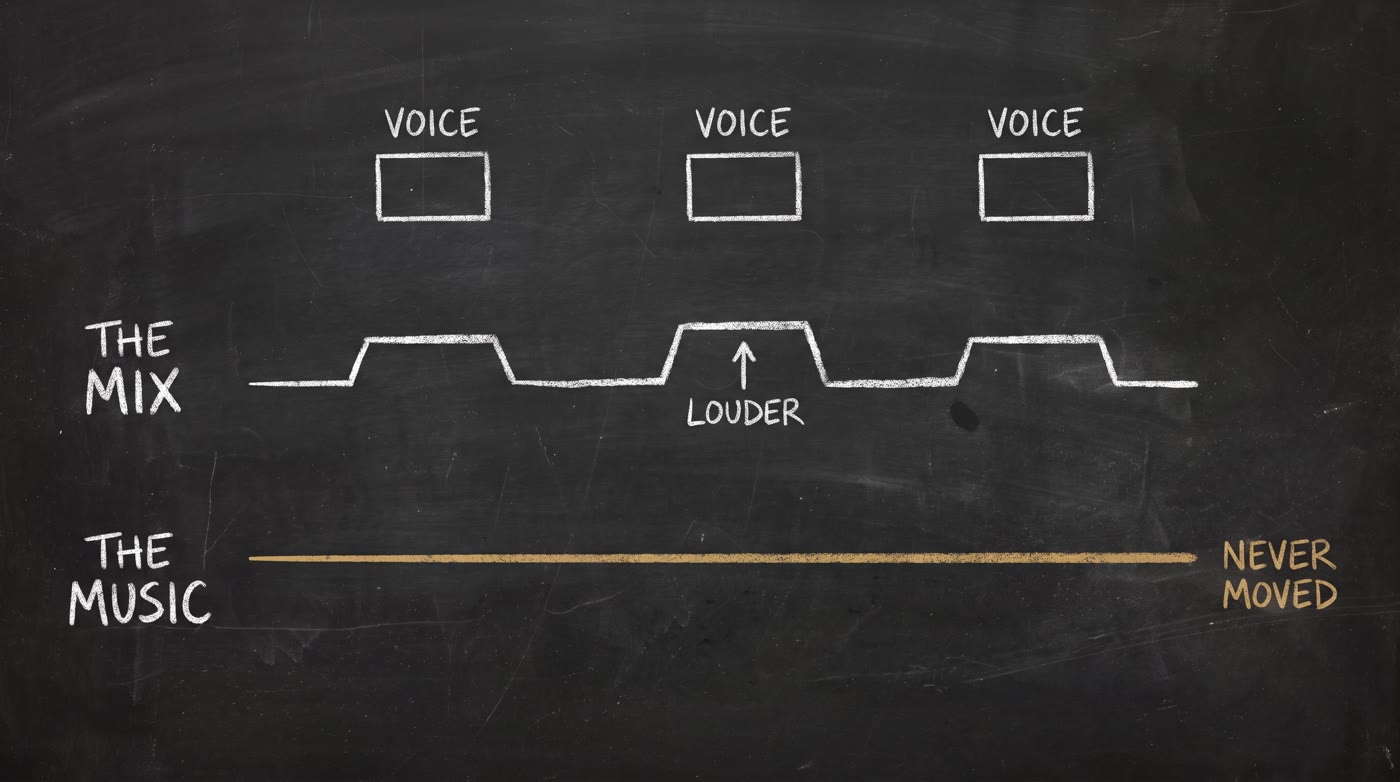
Ducking means the music drops while someone speaks, so you can hear them. The obvious test is to measure the loudness during speech, measure it in the pauses, and compare. A big gap means it worked.
It does not. The voice is in the mix while it speaks, so the mix is louder during speech whether the music moved or not. On my render with no ducking at all, that test read a 9.96 dB gap.
So the gate measures something else: the music's own share of the finished file. For the original voice-and-music controls, every 50 milliseconds it solves out = a·voice + b·music against the two tracks that went in. On the four renders where I knew the exact answer, it matched to within 0.01 dB.
Since v0.1.2, I also account for a known stereo clip track, so you can check ducking with clip sound intact. The check follows the clip's trim, placement, gain, loops and fades. Windows where the tracks cannot be told apart cannot prove a pass.
Here is what it said about five ways to duck the same voiceover:
method                        music dropped   pump    mix gap   verdict
no ducking                    0.00 dB         0.03    9.96      FAIL
the first recipe search finds 17.77 dB        6.37    9.48      FAIL
ffmpeg compressor defaults     3.82 dB        3.83    9.72      FAIL
normalising the whole mix      0.00 dB        1.66    9.99      FAIL
speech envelope, -12 dB       12.00 dB        0.07    9.50      PASS
Look at the mix-gap column. It reads between 9.48 and 9.99 for all five. A gate that reads the mix cannot tell any of them apart.
The second row is the one that surprised me. It ducks hard, then the music climbs back up between words, 6.37 dB of pumping inside one sentence. The fourth row is how one popular open-source editor "ducks": it normalises the whole mix, which moves the voice with the music. That is a louder video, not a ducked one.
Captions you can prove are on screen
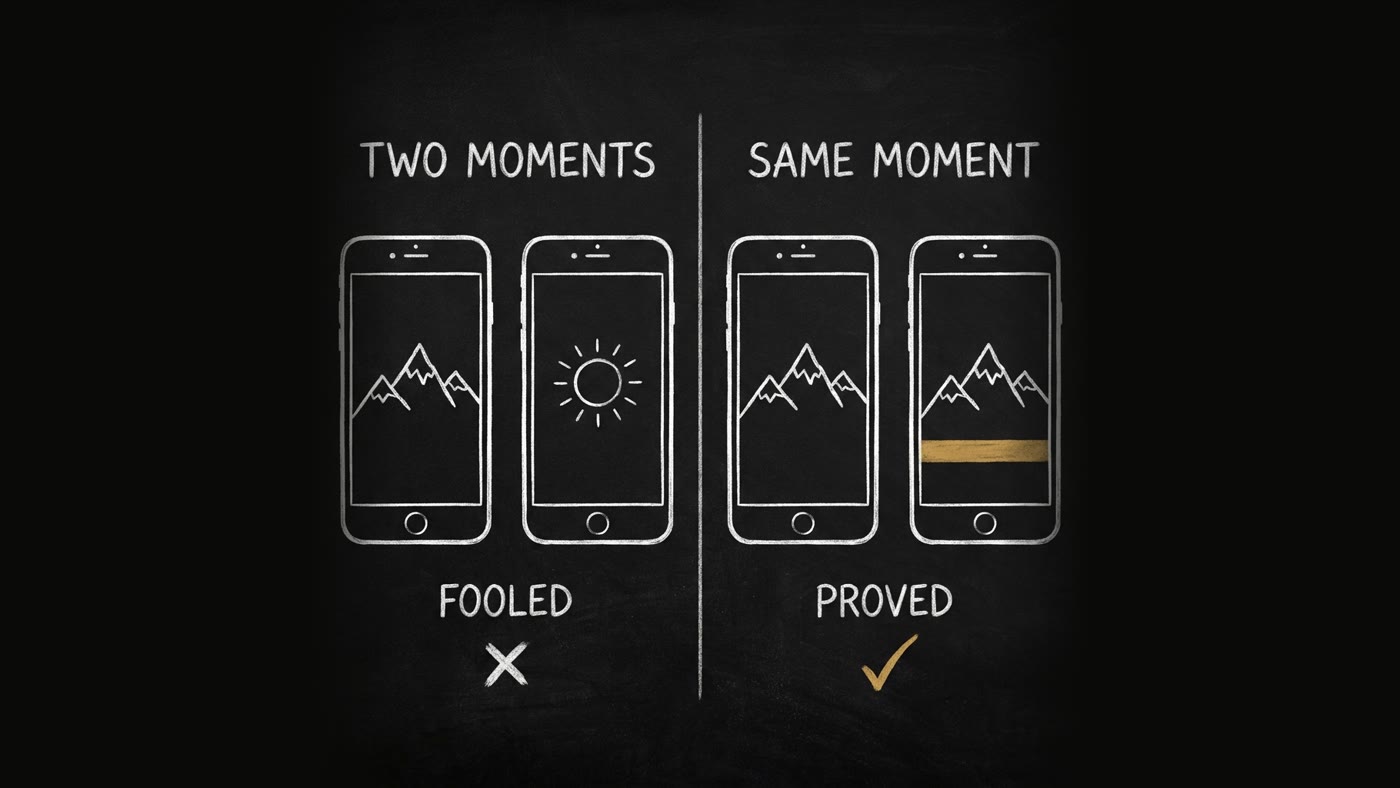
Same trap, different sense. The quick caption test grabs a frame inside a caption window and one outside it, and checks they differ. Any moving picture differs across time. On a video with no captions at all, that test found 1.24% of the pixels different and called it a pass.
The editor renders a caption-free twin and compares the same frame with and without captions. On the test render: text at 31 of 31 spoken words, 0% in the pauses, nothing under the platform's buttons.
It also checks the font before it renders. When I asked for "Noto Sans Hebrew", the machine quietly handed me Verdana, which covers 1 of 11 Hebrew characters. On a Linux server, a missing letter renders as a box, and a box is pixels, so a pixel test passes it. Only the font check catches that, so it runs first.
It runs where your agent runs
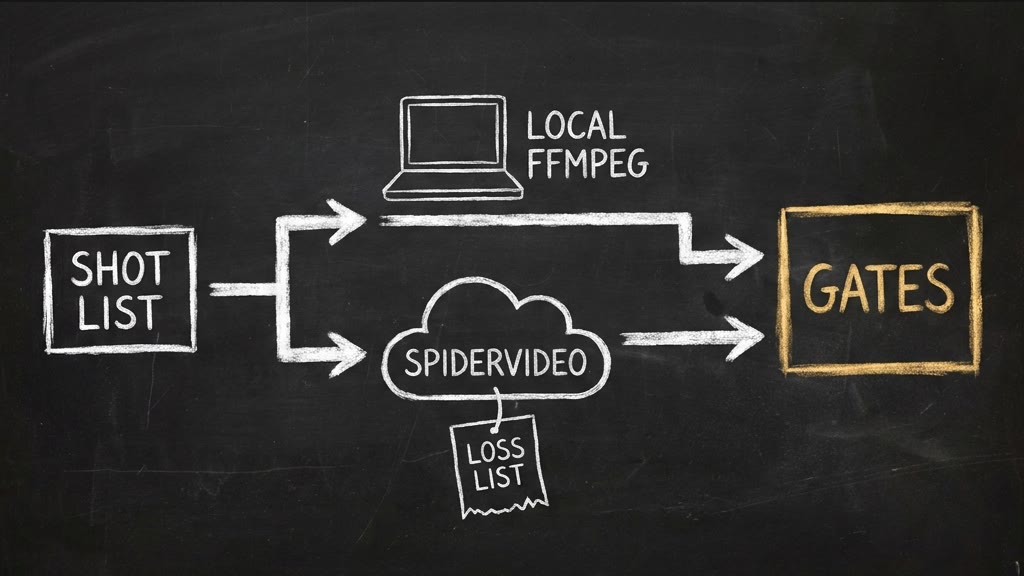
In Claude Code, Codex or Antigravity, the agent's shell usually has ffmpeg. The editor detects it, builds the whole filter graph from the shot list, and renders on your machine. The graph is computed, never typed, because transitions overlap their neighbours and the offsets have to account for that.
On an OPVS agent there is usually no ffmpeg. Then the editor writes the job for SpiderVideo, the SpiderIQ cloud renderer, and prints every field that path cannot honour: per-scene transitions, trims, fit, mute, frame rate, poster, duck depth. You see the loss list before you spend a render. This complements SpiderVideo. It does not replace it.
And because the four gates read the file rather than the settings, they check any video: this render, a SpiderVideo render, or a freelancer's upload.
What it does not do
It does not plan the cut. That is @di-atomic/video-director, and its shot list is this skill's input. It does not generate footage or a voice. That is @di-atomic/media-generator. It ships no font, no music and no audio of its own.
Two limits, stated plainly. Zoom-out transitions are refused, because ffmpeg has no matching transition. And the pump measurement is untested on drum-heavy music. The test bed was a sustained chord.
Why I trust the gates
Every gate has controls: videos built to fail it in one specific way. 46 of 46 fail for the reason they should, on a Mac and on Linux. A control that fails for the wrong reason counts as a bug. The tests found 9 bugs before release, and I fixed every one.
Then I pointed the gates at a real SpiderVideo job. Ducking passed, 12.38 dB, measured by my gate on their file. But the captions sat under the 9:16 buttons, and the loudness came in at -22.1 LUFS, quieter than its neighbours in a feed. The editor now prints both as losses on that path.
The video-director's own 60-second example rendered to 60.000 seconds: 1,800 frames, 65 of 65 captions.
Install it
opvs-skills install @di-atomic/video-editorGuidance-only: nothing to configure, nothing to authenticate. Your agent reads it and runs the scripts in its own shell.
Point it at a shot list. Then read the numbers, not the exit code.