
A Local SEO campaign finds every business of a given kind in a whole country, reads their website, checks their email actually works, and builds them a listing. Two fields start it. About forty more sit underneath for when you want them — and this page shows you both.
They all do the same thing. Use whichever suits the day.
Two boxes and a button on one screen. Walked through below.
Tell it what to search and which country. It sets the campaign up and watches it for you.
Claude Code, Antigravity, whatever you already use. Connect it once, then ask in plain words.
SpiderIQ is an AI-native operating system for agencies — it is built for assistants first. The dashboard exists for people who want to watch it happen with their own eyes. If you would rather just say what you want out loud and have it run, that is the intended way to use it, not a shortcut.
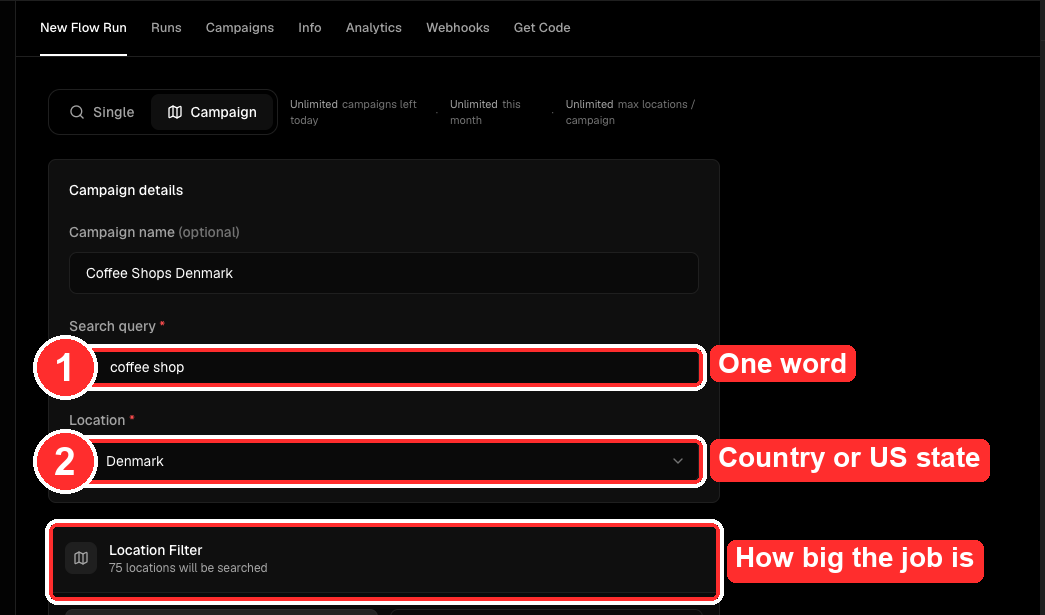
One word in the first box. restaurant. hotel. barber. Not a sentence — the search runs against Google Maps, and a phrase narrows it to nothing.
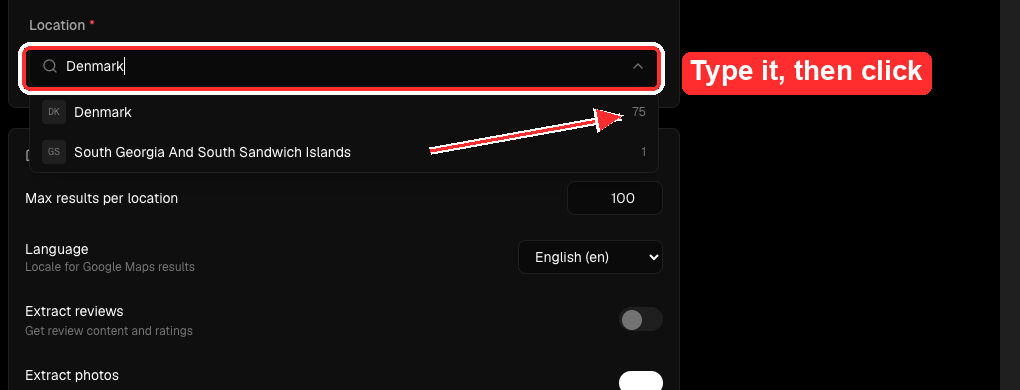
A country or a US state in the second. The moment you pick one it tells you how many towns it will search. Denmark is 75. A large US state runs to around 950. That number is the honest measure of how big the job is.
A whole country is the default, not the only option. Four ways to draw the boundary:
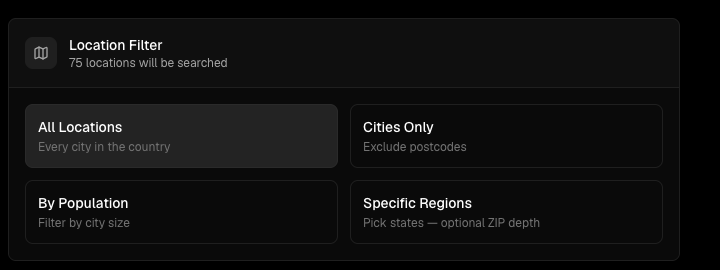
| Filter | What it does | Use it when |
|---|---|---|
| All locations | Every city in the country | You want total coverage of a market |
| Cities only | Excludes postcode-level splits | You want breadth without the long tail |
| By population | Filters by city size | Only the towns big enough to hold your buyer |
| Specific regions | Pick states, with optional ZIP depth | A territory, a franchise map, one rep's patch |
This is the dial that decides both quality and cost, so it is worth understanding. Four modes, each with a real per-site time:
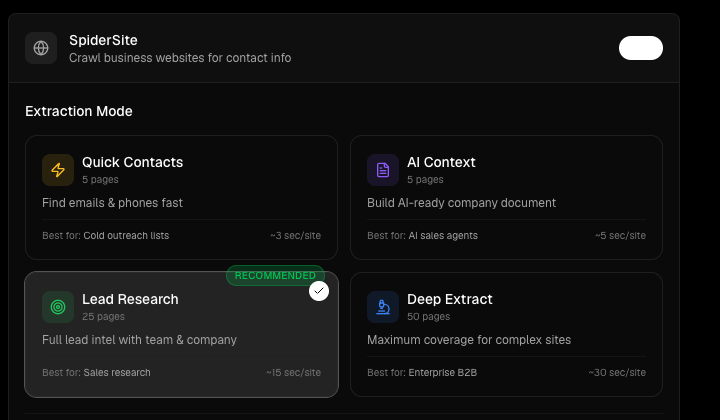
| Mode | Depth | Speed | Best for |
|---|---|---|---|
| Quick Contacts | 5 pages | ~3 sec/site | Cold outreach lists — emails and phones, fast |
| AI Context | 5 pages | ~5 sec/site | AI sales agents — builds an AI-ready company document |
| Lead Research | 25 pages | ~15 sec/site | Sales research — full intel with team and company |
| Deep Extract | 50 pages | ~30 sec/site | Enterprise B2B — maximum coverage of complex sites |
Every one of them ships already set correctly, which is why two fields are enough to launch. They are there for the campaign where the default is not what you want.
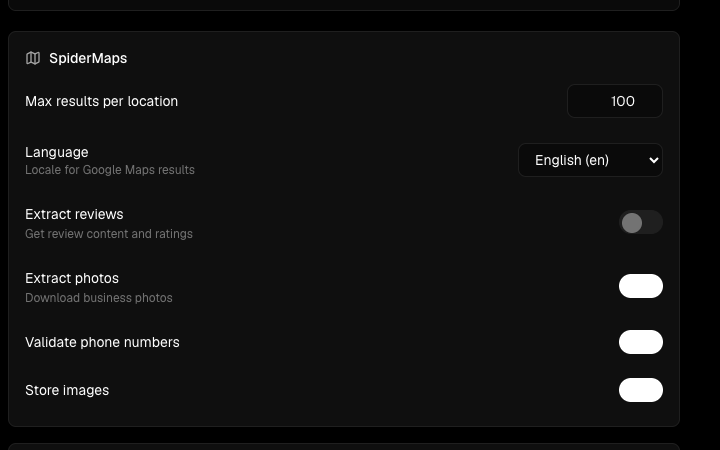
| Group | What you can change |
|---|---|
| Maps | Results per town, search locale across 14 languages, review content, business photos, phone validation, image storage |
| Crawl | Pages per site, crawl strategy (best-first, breadth-first, depth-first), which page types to prioritise, page timeout |
| JavaScript sites | Full browser rendering for JavaScript-driven sites, with its own timeout |
| Extraction | Team members, company information, and AI analysis of business pain points |
| Summary document | An AI-written markdown summary per business — cleanup level, length cap, and duplicate-section stripping |
| Lead scoring | Give it your product description and your ideal customer, and every lead comes back scored against them |
| Email checks | Profile-photo lookup, spam-blacklist checks, emails per business, SMTP timeout |
| Outreach | Push finished leads straight into an outreach campaign, with per-field mapping |
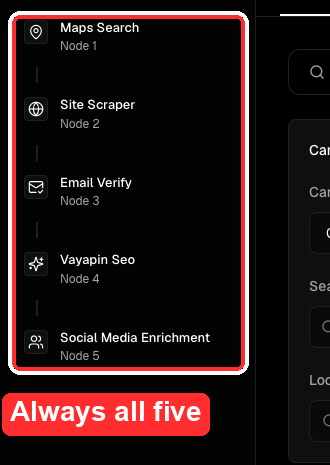
| Step | What it does | Why it takes the time it does |
|---|---|---|
| 1 · Find | Reads Google Maps for every town in the country | About 14 minutes per town — roughly two thirds of the whole job |
| 2 · Read | Opens each business website and pulls out contacts, team and a description | Runs many at once; this part is quick |
| 3 · Check | Tests every email address before it is used | With step 2, about 8 minutes a batch |
| 4 · Build | Creates a VayaPin directory listing, with the description written in the local language | Only for businesses that cleared step 3 |
| 5 · Rescue | No usable email? Finds the Instagram, Facebook or LinkedIn instead | Only runs for the ones step 3 rejected |
Note the order. The email is verified before the listing is built, not after — so nothing is created for a business we cannot actually reach.
Reading Google Maps is the slow part, and no amount of extra capacity changes it: browser navigation, scrolling, and cooldowns come to roughly 14 minutes for every town. A country-sized campaign therefore runs for hours to days, not minutes.
If the status still says Running and the result count is still climbing, it is working. Silence is not a fault.
| When | The decision |
|---|---|
| Before | Which kind of business, and which country. This is the whole targeting decision, and it is one word plus one dropdown. |
| Before | Whether finished leads should be pushed into an outreach campaign. That switch is off by default, and the campaign it points at is locked once the run starts — so leave it off and you will build every listing and email nobody. |
| After | Read the first twenty results. Are they the kind of business you asked for? Category matching is the one place a Maps search can quietly drift. |
| After | Answer anyone who replies. Speed here is worth more than anything upstream of it. |
The Campaigns tab carries a status and a progress count for every run. Two columns tell you everything.
| If it says | It means | Do this |
|---|---|---|
| Running | Working. The count climbs as it goes | Nothing. Come back tomorrow |
| Succeeded | Finished cleanly | Check the count looks sensible for the size of the country |
| Degraded | Finished, but parts of it struggled | Usable. Worth looking at why |
| Stopped | Someone halted it | Start a new one if that was not deliberate |
| Failed | It fell over | Run it again. A re-run of a failed campaign routinely returns a hundred times the results |
A campaign that ends Failed is not a dead end and it is not unusual — a country-wide crawl touches a lot of moving parts. The re-run is the fix, and it costs you one click.
Every option on this page is also a field your own assistant can set. The same campaign, launched from Python, JavaScript or a single curl:
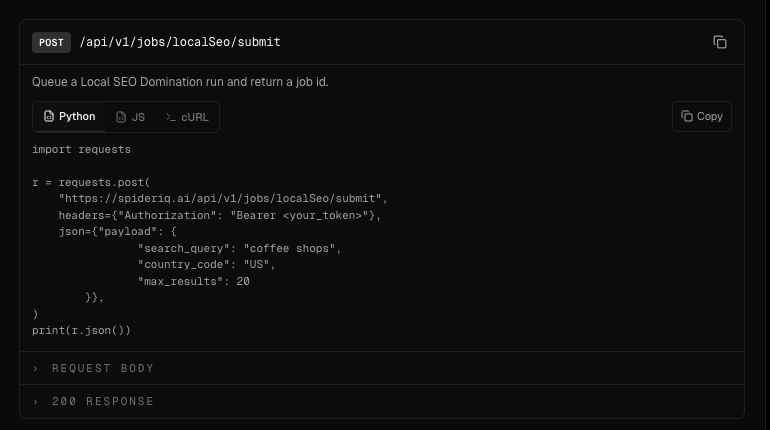
That is the point of the whole thing. The screen is a convenience; the campaign is an instruction, and instructions are what assistants are good at.
Tell me what you sell and where, and I will show you the size of the list before you commit to anything.
Talk to me →